


1 Discord + Dashboard + Link Main
- Join our Discord server.
- Click Apply to be redirected to the dashboard, logging in with the account/character you want recruiters and leadership to see as your main.
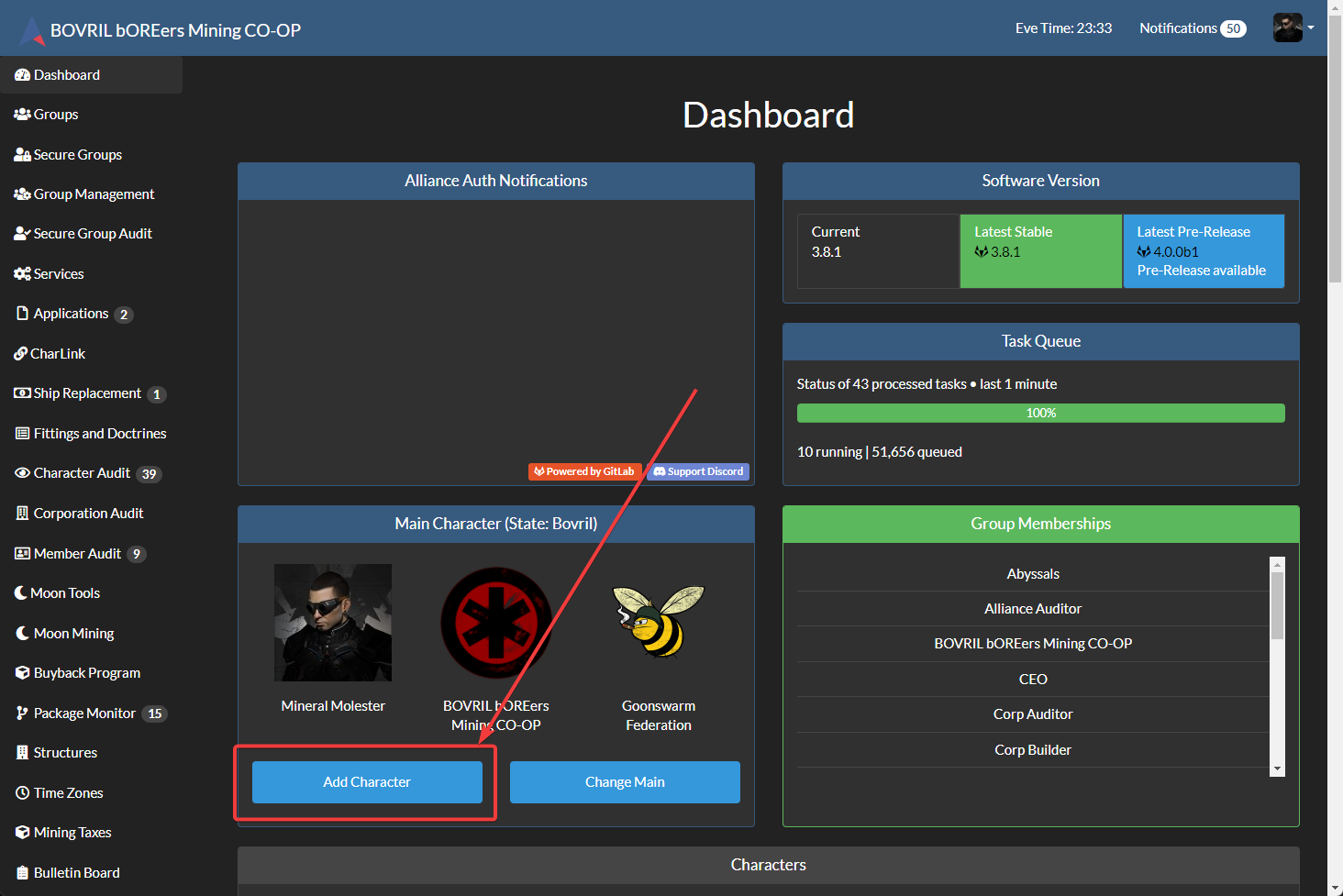
- Once you've done that, open the main auth page and go to your Dashboard (left-side navigation).
- Below your main character portrait, click Add Character.
- Note: your screen may look slightly different than the screenshot.
2 Confirm all scopes + click Login
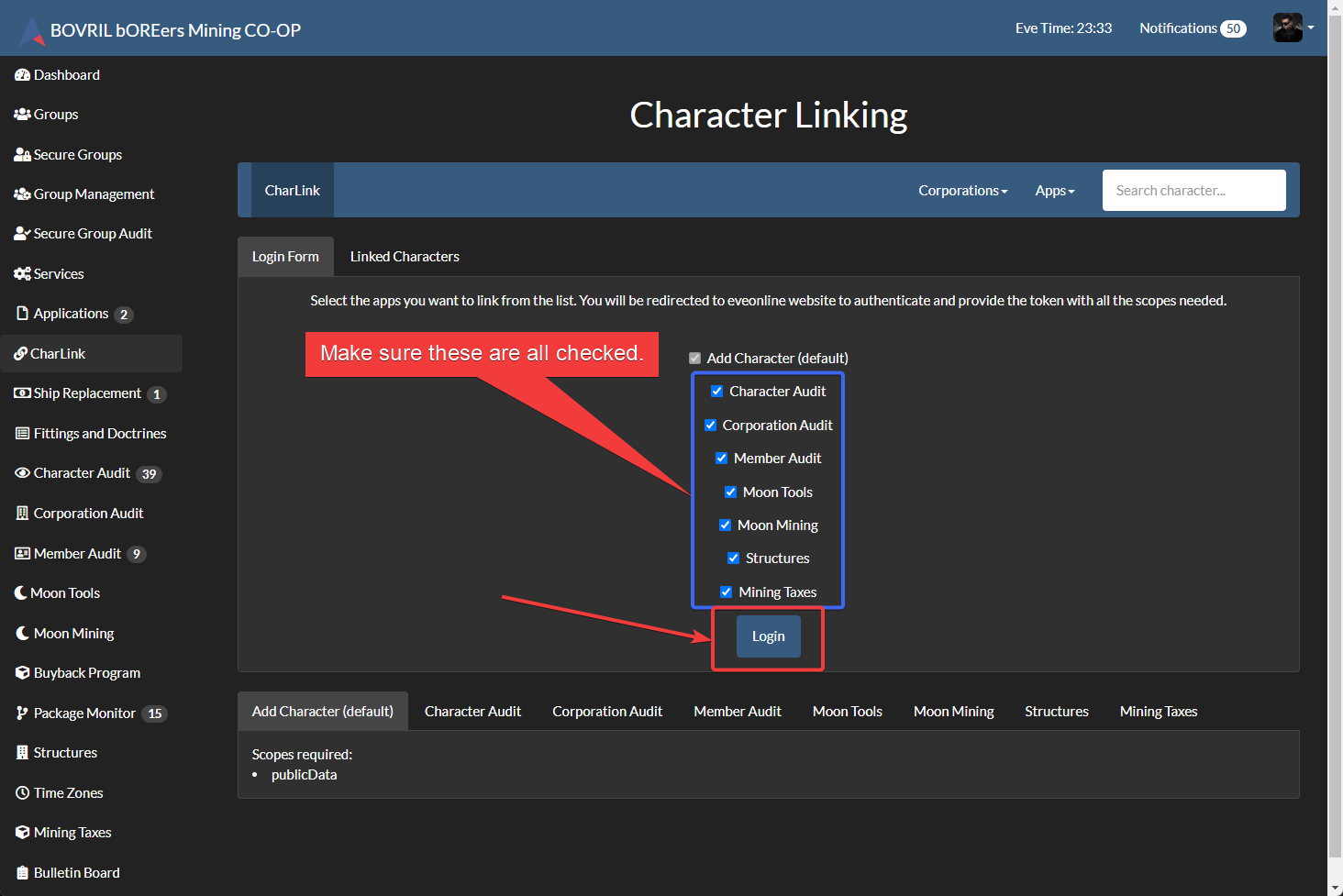
- On the Character Linking screen, ensure all checkboxes/scopes are checked.
- They should be checked by default — if not, enable them.
- Click Login.
3 Choose “New Character” + log in
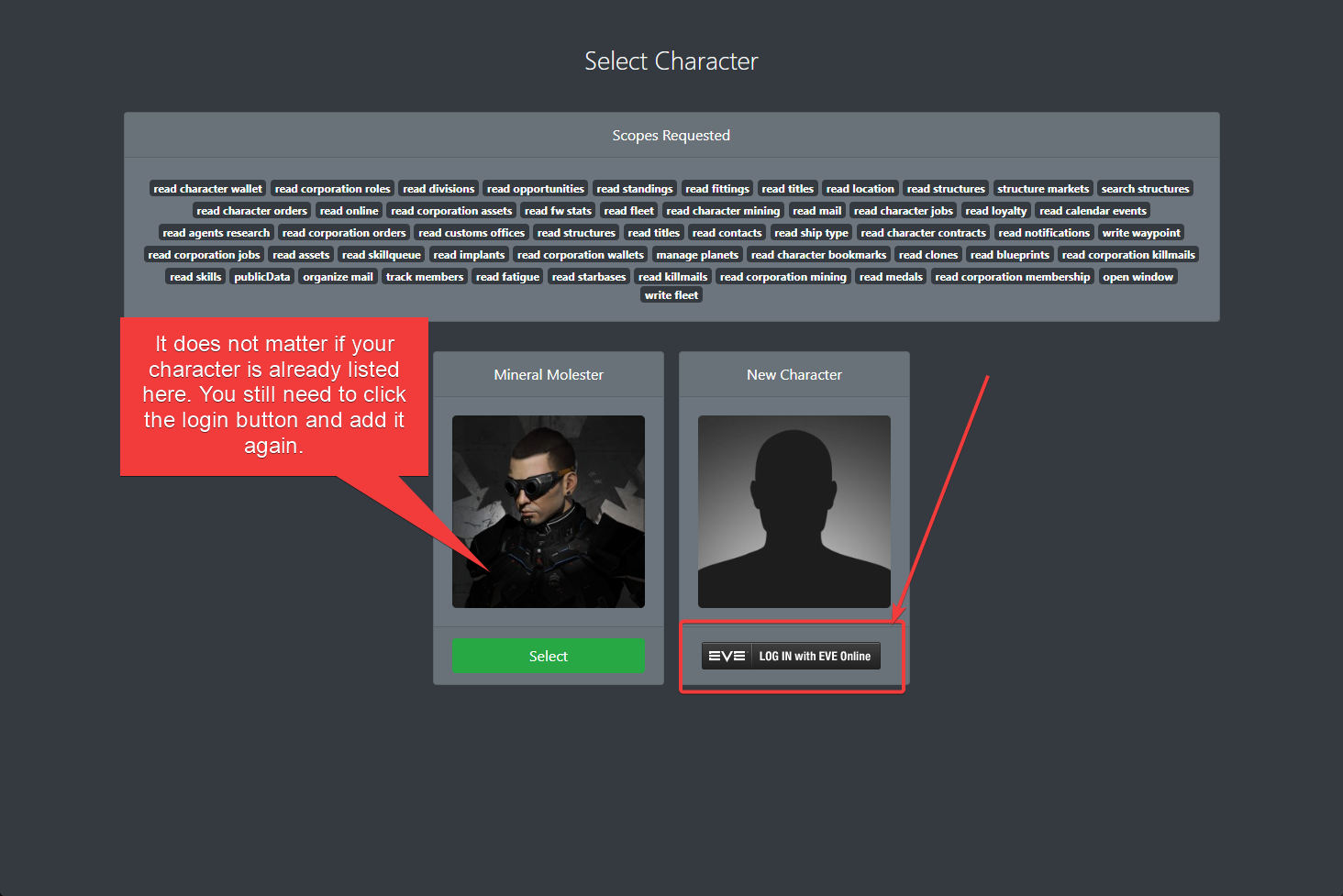
- On the Select Character screen, find the New Character portrait (blank avatar).
- Click Log In with EVE Online.
- Even if your character is listed on this screen, still add them via Log In with EVE Online.
4 Sign in to your EVE account
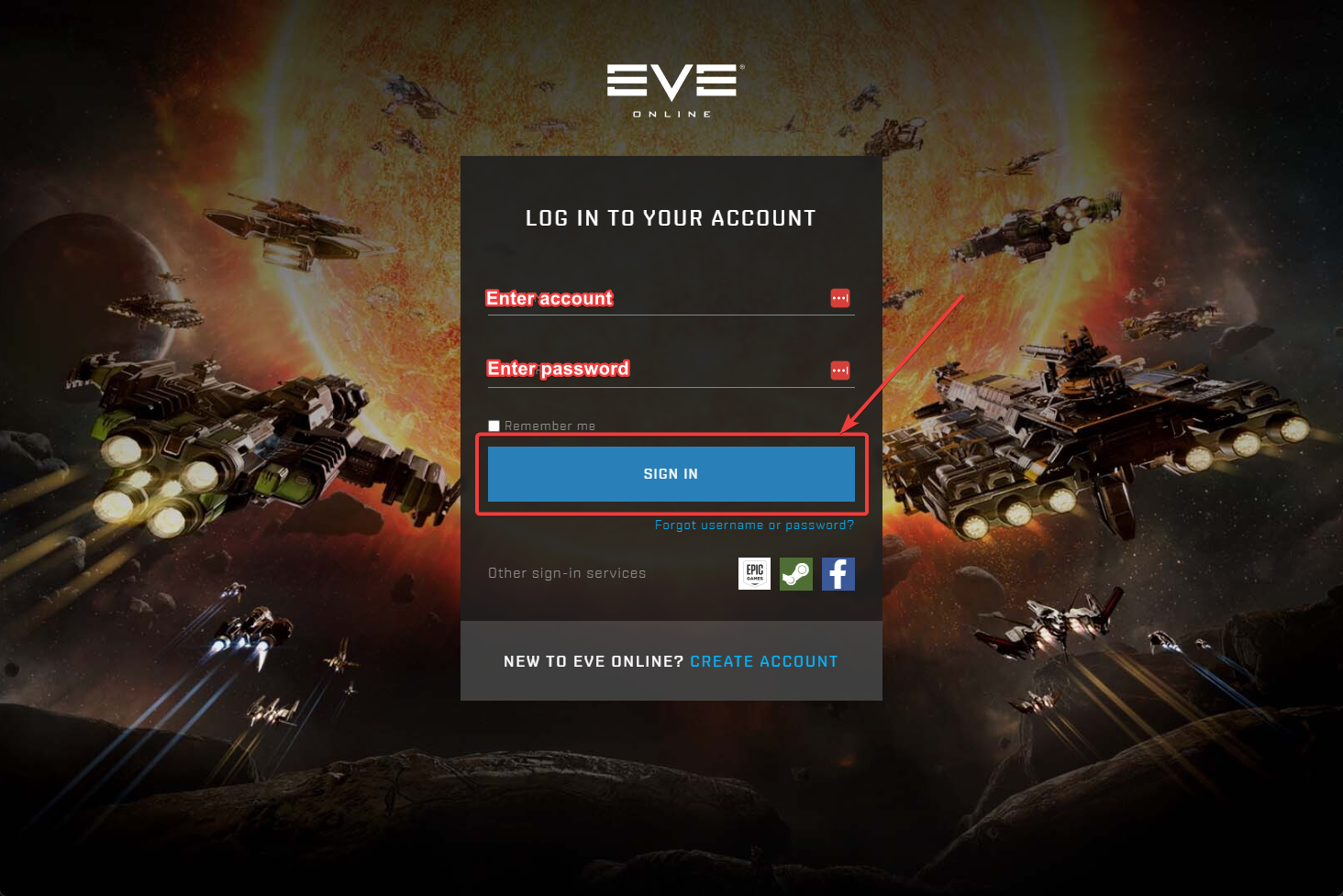
- Enter your EVE account name and password, then click Sign In.
- If you have 2FA enabled, you’ll enter your auth code after signing in.
5 Select a character + authorize
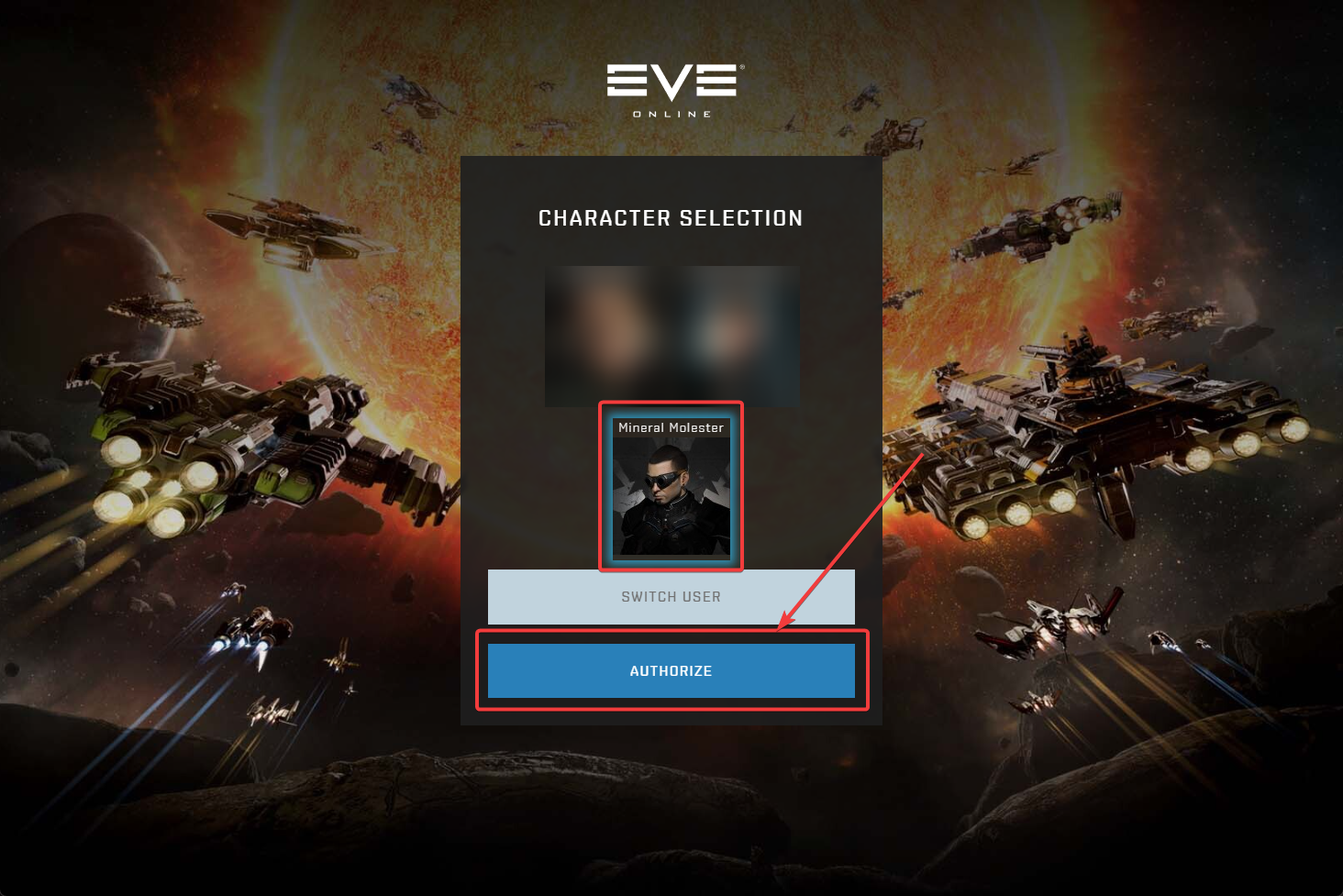
- On the Character Selection screen, choose the first character on your account.
- Click Authorize.
6 Scroll down and authorize again
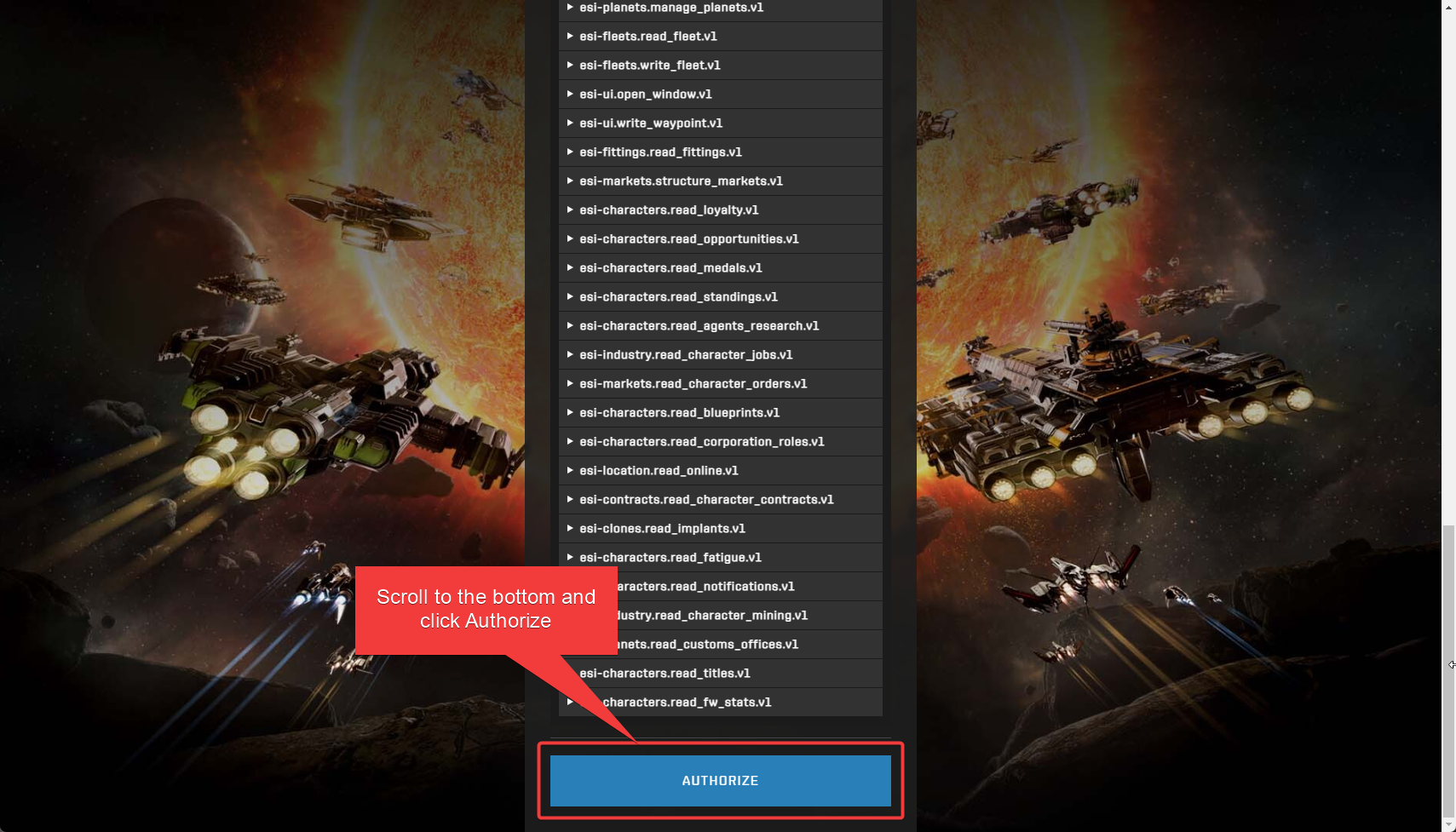
- On the next screen, scroll all the way to the bottom.
- Click Authorize.
7 Return to linking screen and add more
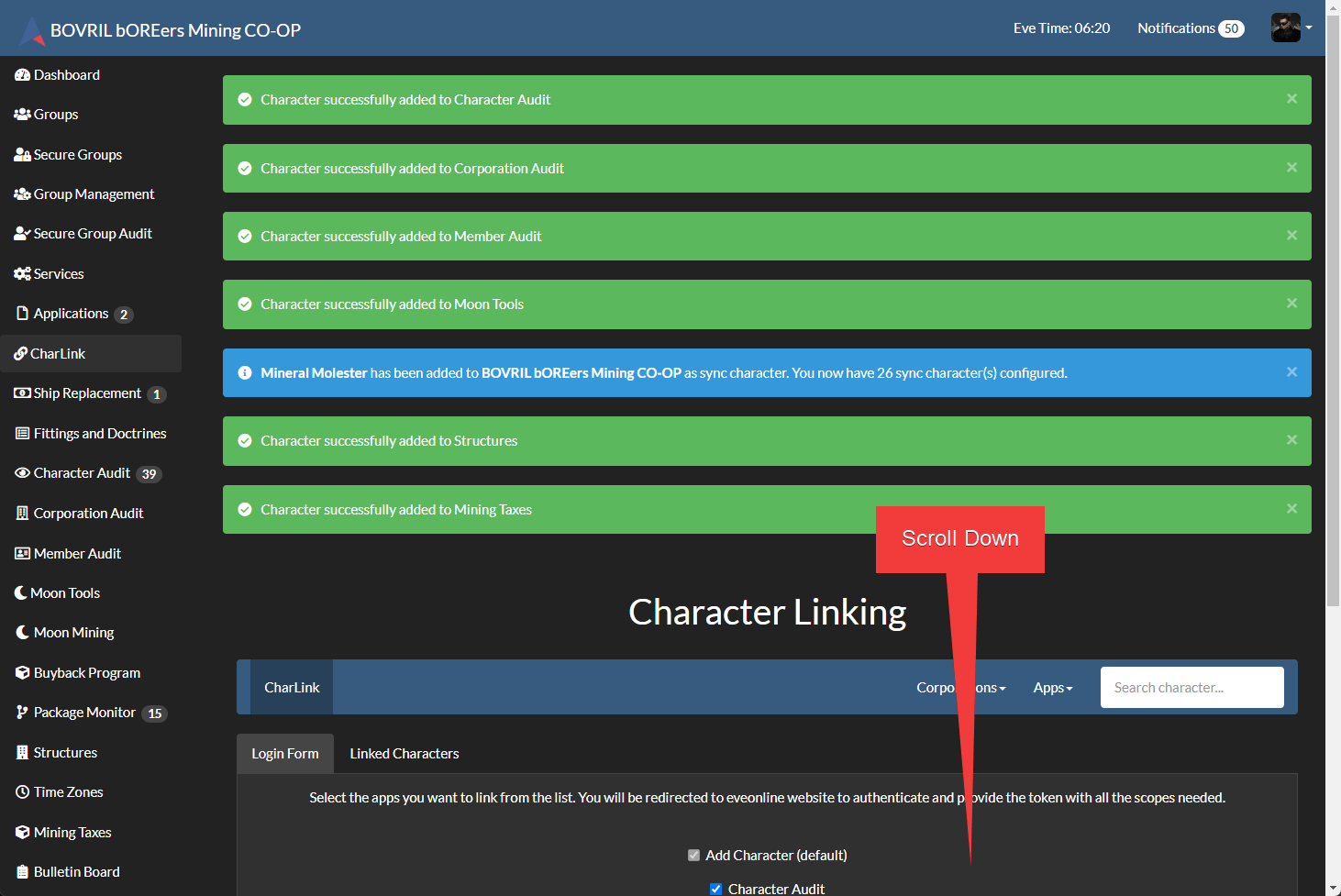
- You’ll return to the Character Linking screen with green confirmation messages.
- To add more characters, scroll down and click Login (like step 2).
- On the next screen, click Log In with EVE Online (like step 3).
8 Add remaining characters on the same account
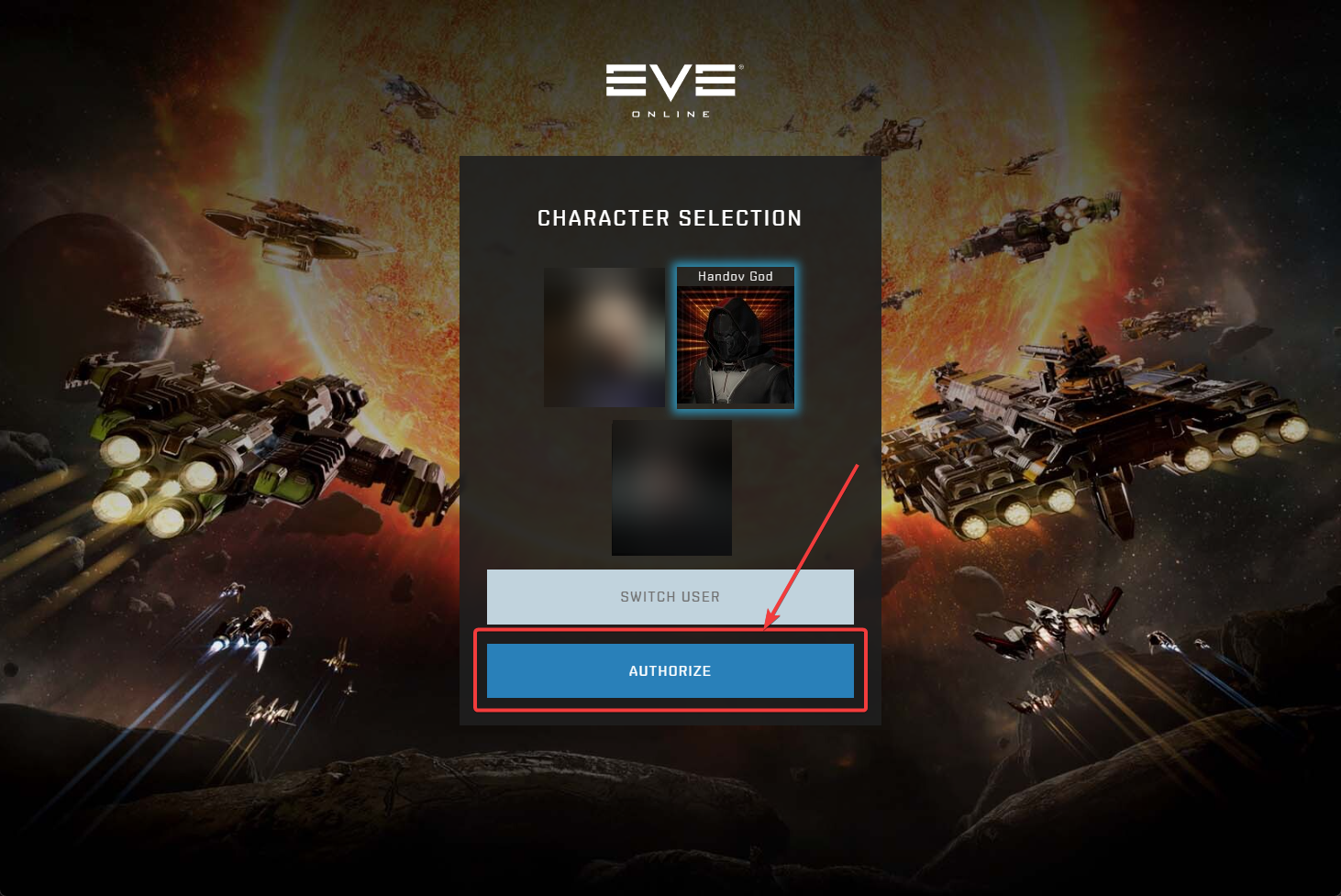
- If you’re adding another character from the same EVE account, you should skip the login screen and go straight to character selection.
- Select a different character (one you haven’t added yet) and click Authorize.
- Scroll to the bottom of the next page and click Authorize again.
- Repeat once more to add the last character on that account.
9 Switch users for other accounts
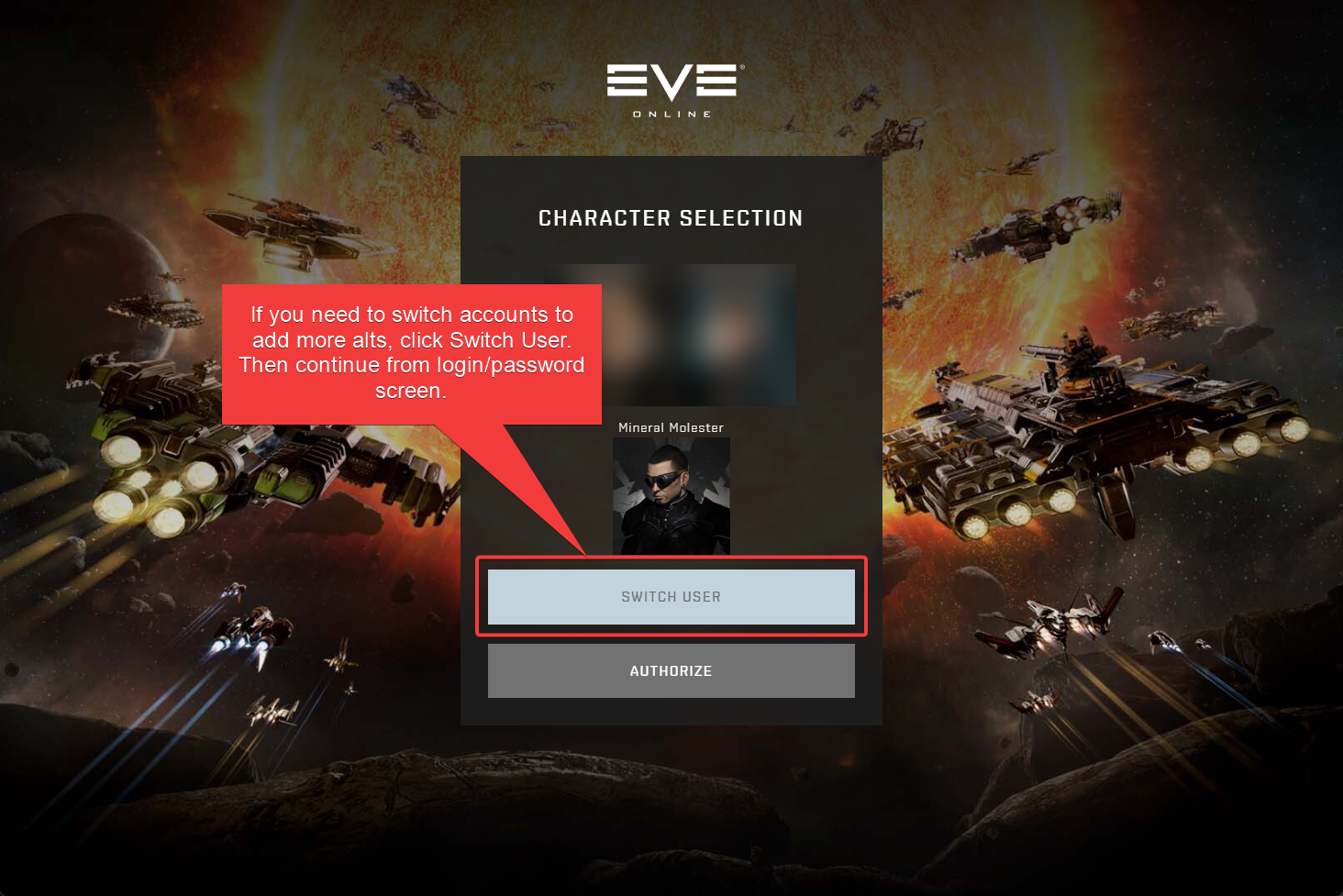
- On the Character Selection screen, click the gray Switch User button.
- Log in to another EVE account and repeat from step 4 for all characters on that account.
- Repeat until all characters from all accounts are added.
After you apply, you just need to wait. Watch your EVE mail for a corp invite and keep an eye on Discord notifications for messages from us.